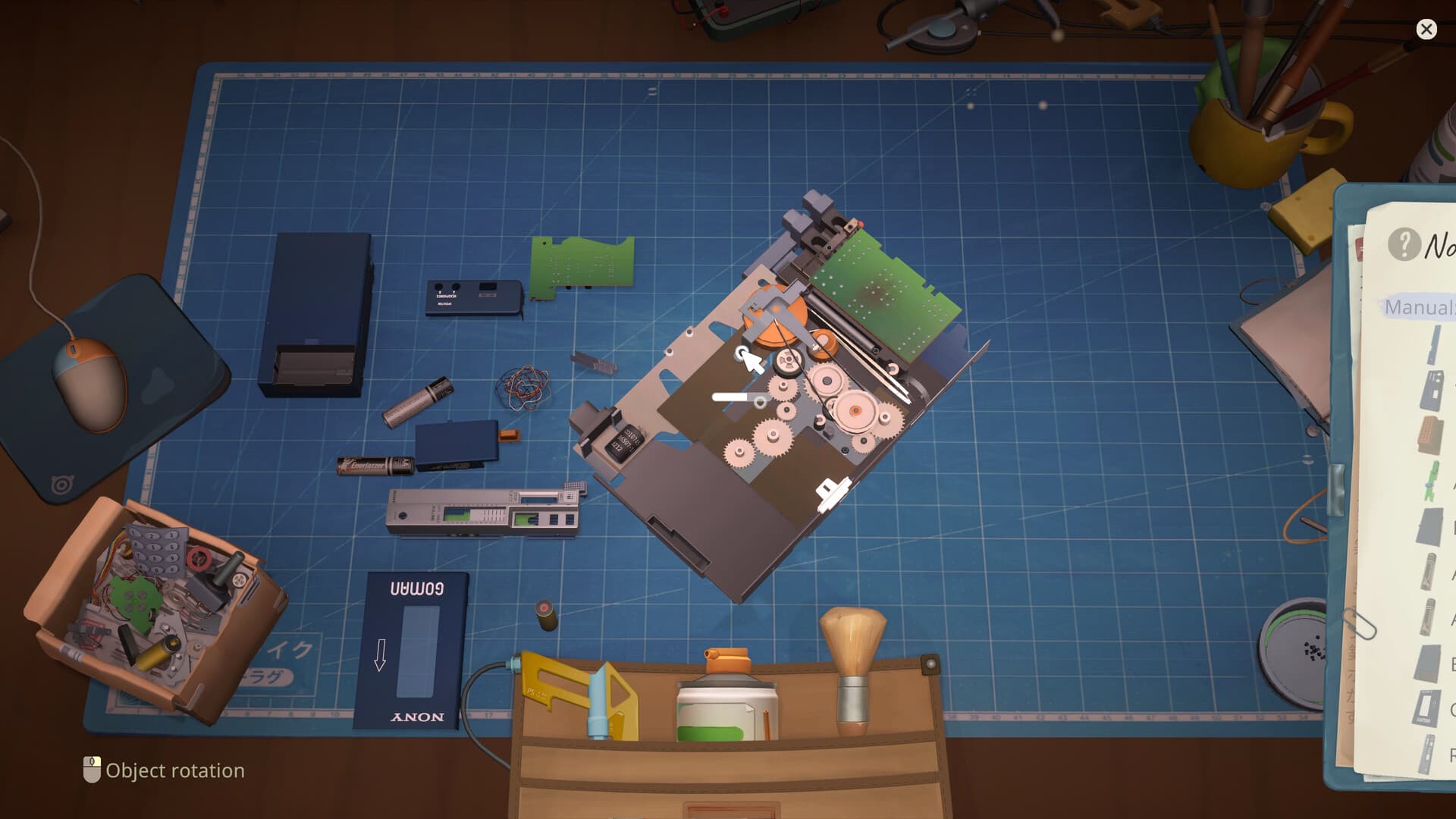
Clean Job: clean the workshop itself
- 01
Find the workshop rubbish
For Clean Job, clear the dirty items from the desk. Cleaning device components is a separate task.
- 02
Use the trash can below the desk
The Steam achievement guide says to put those workshop items in the bin below.
- 03
Check both side views
Switch left and right to find the remaining rubbish outside the center view, then clear it too.
Find the part you missed
- 01
Change the view
Check the center, left and right areas of the workspace; small items can sit outside the first view.
- 02
Use the task cues
The notepad can identify the remaining category and highlight relevant pieces during normal jobs.
- 03
Inspect loose components
Select pieces individually and look for dirty, damaged or missing-state indicators.
- 04
Check what is still on the bench
A loose screw, cover, battery or bracket often means the device is not fully assembled.
Manual cleaning vs sonic bath
Patch 1.0.011r changed the old behavior: items cleaned in the sonic bath now count toward Big cleaning! and Galactic cleaning!. Use the bath for throughput on the current build; use manual cleaning when you need to isolate one part or diagnose a job that is not advancing.
Reassembly rule
- Start with the deepest component that was removed last.
- Seat cables, boards and shields before outer shells.
- Install batteries or removable covers after the internal stack is complete.
- If a part will not place, another lower layer or fastener is probably missing.
Separate dirt, damage and absence
A device can fail a job for three different reasons: a part is dirty, a part is broken or a required part is not present. Cleaning a damaged component does not repair it, and buying a replacement does not help if the original part is simply sitting elsewhere on the bench. Read the task cue, select each loose component and decide which of the three states you are solving before taking another action.
This distinction is also useful when a progress percentage appears stuck. If cleaning no longer changes the task, stop brushing the same surface and inspect the remaining components, the other workspace views and the parts inventory. The missing action may be replacement or reassembly rather than more cleaning. Repeating the wrong tool can make a simple state problem feel like a bug.
Use the bench as a dependency map
During disassembly, the object you remove now usually exposes the object you will need to install earlier during reassembly. Mentally group the device into outer shell, fasteners, shields, boards and removable components. You do not need to memorize a universal order for all 29 devices; you need to preserve the order of the device currently in front of you.
When you return to assembly, begin with anything that another part must cover. A board cannot be installed after its shield or shell is already in place, and an outer cover cannot close while a cable, battery or screw remains unseated. If the game refuses placement, treat that refusal as a dependency clue rather than trying the same part from many angles.
If the first cleaning job will not respond
- 01
Confirm the part is removed
Community reports for the first Pokia job describe moving the dirty part to the cleaning container before choosing the brush action.
- 02
Check the active tool and target
Make sure the cleaning sound is attached to the selected loose component rather than an assembled device or empty space.
- 03
Change workspace view
A small piece or cleaning target can sit outside the centered view, especially after several parts have been moved.
- 04
Restart without deleting data
If the correct action produces sound but no progress, return to the menu or restart the game before considering a reinstall.
- 05
Compare current reports
Check the Steam technical-issues page for the same device and current version; repeated reports may indicate a patch issue.
Finish with a two-pass inspection
First, inspect the assembled model and use the task feedback to find an incomplete category. Second, scan every bench area for anything still loose. A device can look finished while a tiny fastener or bracket remains outside it, and a clean device can still be incomplete because the wrong replacement part was used.
Do not buy another component until both passes are complete. Extra parts reduce your bill reserve and can create more clutter without solving the job. If everything is installed and the requirement still does not advance, move to the troubleshooting guide and diagnose the sequence as a possible progress or save-state problem.
Sources
Last checked Sep 28, 2026. Game behavior can change after an update, so use the linked Steam pages for the newest information.