Use this three-minute triage first
- 01
Read the active requirement
Confirm the current job asks for cleaning, repair, replacement, reprogramming or story progress; each has a different completion trigger.
- 02
Scan every workspace area
Look at the center, side views, shelves and parts boxes for a loose component or a boxed device that moved away from the main bench.
- 03
Return to the menu
Save if the game allows it, return to the title screen and reload before repeating purchases or changing system settings.
- 04
Restart the game
A clean restart has resolved some community-reported first-day state problems and is safer than deleting local data.
- 05
Compare the exact device and version
Open the Steam technical-issues board and search for the device, action and current game version rather than a generic error.
Cleaning makes a sound but nothing changes
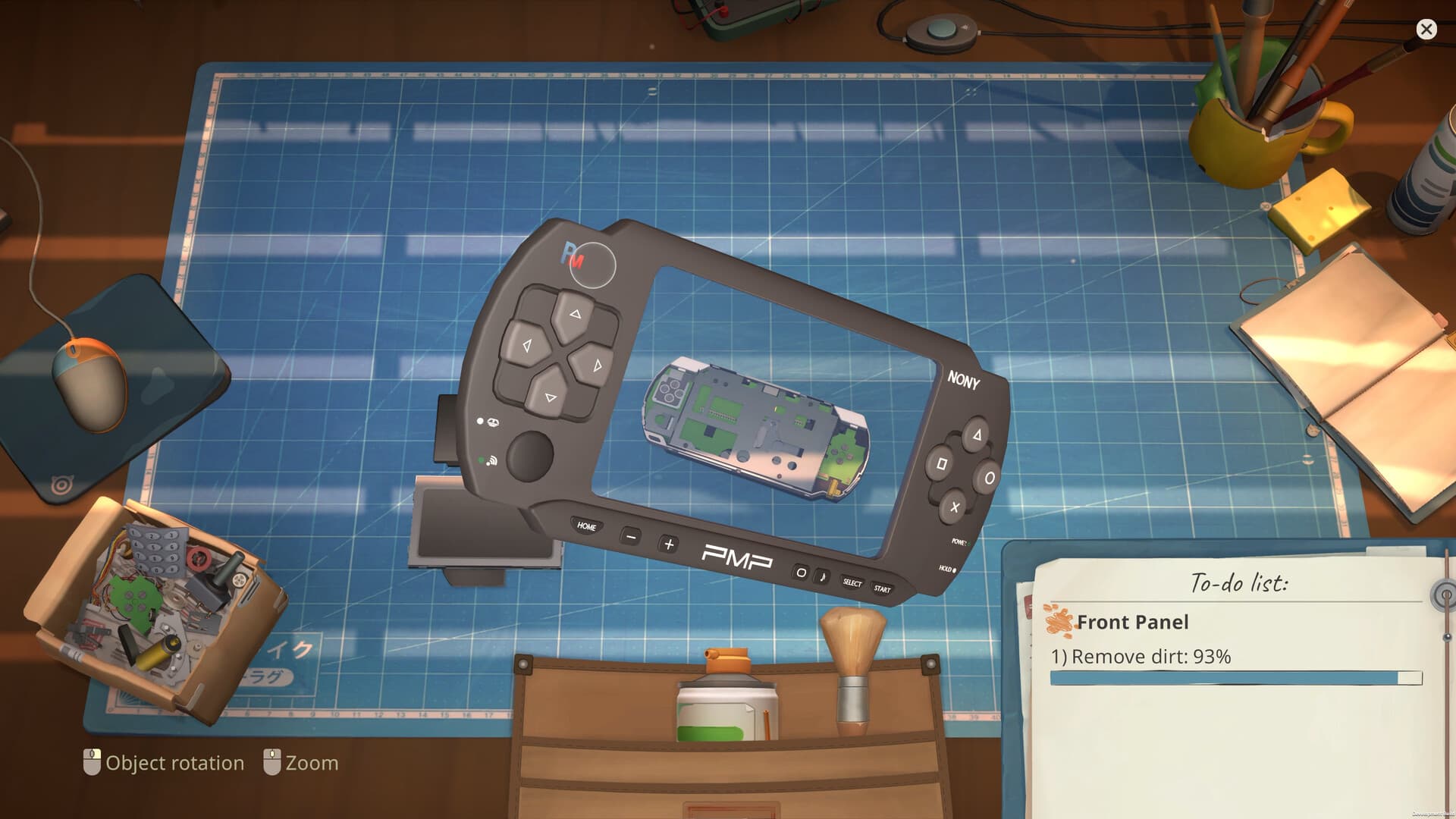
Repeated Steam Community reports describe the first Pokia cleaning job playing a cleaning sound without removing dirt. Before treating it as a broken save, confirm that the dirty component has been removed from the device and moved to the cleaning container on the workbench. Select the part itself, choose the available brush or cleaning action and watch the active task rather than relying only on the sound.
If the percentage or requirement still does not change, switch workspace views and inspect every loose component. The remaining target may be a smaller part outside the centered view, or the job may now require replacement or reassembly instead of more brushing. Do not keep applying the same action to the same surface when the task cue points to a different state.
A part or device appears to be missing
Community reports for the early Atari joystick job show that a device can move to a shelf or appear as a box after it has been opened. Check both shelf areas, the right side of the table and any parts container before buying a replacement or assuming the object was deleted. The current interface may place an untouched device differently from one that has already had a screw removed.
If the object is absent from every visible storage area, return to the menu and reload. A restart fixed the state for some players who could not continue the first day. Preserve the save and avoid starting a new game until you have checked Steam Cloud status and current reports; a state bug and a missing local save are different problems and require different evidence.
Story not progressing: match the case
| What you see | What to check | Evidence and limit |
|---|---|---|
| No new story event, but an unfinished To-Do or boxed device remains | Review the To-Do list, inbox and both shelves; finish the actual outstanding story task | Developer FUNTUL notes that overlooked tasks and shelf boxes can look like broken progression |
| The rock musician's guitar ends with three stars, then the story stops | Install current updates and retry the save | Developer hotfix 1.0.015 targets this sequence; older already-blocked saves may remain affected |
| Stalled after Baketsu's competition-information message, no Robby license, no To-Do | Record the last message, licenses, game version and save history for support | A September 19 player report describes this even on 1.0.015r; no verified universal recovery is established |
Before repeating days or buying more licenses
- 01
Check the actual task
Read the To-Do list and inbox. Look for a story device stored as a box on a shelf, and finish any task or competition the current story explicitly requests.
- 02
Allow the next event
When current tasks are complete, ending the day is a reasonable progression check. It is not evidence that every stalled save can be fixed by sleeping repeatedly.
- 03
Match your version and save history
The developer's 1.0.015 answer warns that a save started before 1.0.013 and already blocked may not recover. Keep that save rather than overwriting it while testing.
- 04
Report a reproducible case
Record the last story conversation, current To-Do, license state, version and whether normal orders still work. Use the linked developer support instructions if the same state persists.
A save is missing or different on another computer
Steam lists Steam Cloud support for ReStory, but that feature does not guarantee that every interrupted session has already uploaded. Before opening the game on a second computer, let Steam finish synchronization and confirm that both devices use the same Steam account. If Steam shows a cloud conflict, read the timestamps carefully instead of automatically choosing the newest-looking option.
Do not delete a local save, configuration folder or Steam userdata while diagnosing a missing save. First close the game, restart Steam and check whether synchronization completes. If one computer still shows the expected shop, preserve that working copy and contact the official support channel before experimenting. The platform paths below distinguish developer-provided data folders from the Windows save subfolder shown in player logs.
ReStory save file location and data folders
| Platform | Location | Source scope |
|---|---|---|
| Windows save files | %USERPROFILE%\AppData\LocalLow\Mandragora\Restory\SaveData | SaveData is corroborated by a public game log; the developer gives the Mandragora parent folder |
| macOS data folder | ~/Library/Application Support/Mandragora/Restory/ | Developer-provided data/support directory |
| Steam Deck / Proton data parent | ~/.local/share/Steam/steamapps/compatdata/3812600/pfx/drive_c/users/steamuser/AppData/LocalLow/Mandragora/ | Developer's default Steam path; a different Steam library can use a different prefix location |
Back up before investigating a save
- 01
Close ReStory
Stop the game before copying files so it is not writing to them during the backup.
- 02
Copy the whole Restory folder
Keep a separate dated copy before experimenting. On Windows, start at the developer's Mandragora parent folder and copy its Restory child, including SaveData.
- 03
Preserve the original
A backup is a copy, not a rename or deletion. Do not choose an uncertain Steam Cloud replacement or edit a slot to diagnose a story blocker.
- 04
Use the developer's report instructions
The pinned support post requests reproduction steps, an image or video and a compressed Restory folder. Review anything you share for personal data and use the developer's listed support channel.
Low FPS, stutter or unusual GPU load
An official playtest patch added VSync and target-framerate options and advised players with GPU performance problems to try disabling VSync and selecting a 30 or 60 FPS target. That advice came from an earlier build, so use it only when the same options exist in the current release. Change one setting at a time, return to the same scene and compare the result before changing resolution or driver controls.
Close unnecessary background applications, confirm the game is fully updated and test the minimum supported settings before reinstalling. The official Steam data lists Windows and macOS support with modest minimum requirements, but meeting a minimum does not guarantee identical performance in every repair scene. If the problem began after a patch, include the patch date, hardware, resolution and the scene that reproduces it in the report.
Controller and Steam Deck checks
Steam currently lists partial controller support together with DualShock and DualSense support. Partial support can mean that some menus, text entry or fine pointer actions still work better with a mouse or trackpad. Confirm the controller is detected by Steam before launching, test the default layout and remove a custom layout temporarily when an action is missing.
The current community board contains Steam Deck compatibility questions, but this page does not label the game Verified or Unsupported without a current official compatibility result. On Deck, test the official or default community layout, use the trackpad for pointer-heavy cleaning and compare the live Steam compatibility panel before buying specifically for handheld play.
When to report the problem
Report a problem after the correct task, a menu reload and a full restart all fail. Include the game version, operating system, input method, device or customer name, exact reproduction steps and what the task panel shows. A screenshot of the workbench and active requirement is more useful than a general description, but remove account names or personal information before posting.
Use the official Steam technical-issues board or tinyBuild support for reproducible bugs. If a community workaround requires deleting files, installing third-party software or changing an unknown configuration value, wait for an official answer or make a recoverable backup first. The goal is to restore the shop without turning a small state problem into lost progress.
Frequently asked questions
Why does cleaning make a sound but not remove dirt?
Confirm the part is removed and placed at the cleaning container, select the loose component and use its brush action. If progress still does not change, reload before changing files.
Where did my Atari joystick or device go?
Check both shelves, the right side of the table and boxed parts. Opened devices can move away from the central bench; restart if every storage area is empty.
Why is the ReStory story not progressing?
Check the To-Do list, inbox and boxed devices on shelves. The 1.0.015 hotfix targets a freeze after the rock musician’s guitar, but a save already blocked before 1.0.013 might not recover. Match your last event before repeating days or purchases.
Does ReStory support Steam Cloud?
Steam currently lists Steam Cloud support. Let synchronization finish on one device before opening the game on another, and do not delete local data during a cloud conflict.
How can I reduce ReStory stutter?
Update the game, test one setting at a time and, when the options exist, try the developer's earlier advice of disabling VSync with a 30 or 60 FPS target.
Is ReStory Steam Deck Verified?
Check the current Steam compatibility panel. Community reports exist, but this guide does not assign an official Verified or Unsupported label without a current Steam result.
Sources
Last checked Sep 28, 2026. Game behavior can change after an update, so use the linked Steam pages for the newest information.
- officialDeveloper-marked answer: 1.0.015 guitar story hotfix and old-save limitation
- communityStory progression: developer checklist and later player reports
- officialDeveloper bug-report instructions: Windows, Mac and Steam Deck data folders
- communityPlayer game log: Windows Restory/SaveData folder
- officialOfficial Steam store
- officialOfficial ReStory announcements and patch notes
- communitySteam Community technical issues