Where to buy the hacking program
- 01
Open Gozilla Fairfox
Use the browser on the shop computer. In the tool store, stay on the screwdriver icon, the default category.
- 02
Find Unlock-ToolKit
Scroll through that category and buy Unlock-ToolKit. It is the in-game hacking/reprogramming purchase described by the Steam achievement guide.
- 03
Install the delivered CD
Put the installation CD you receive into the computer. It installs an application also named Unlock-ToolKit; purchasing the tool and installing its software are separate steps.
Perform the firmware task on PC
- 01
Check the device and job
Use a device whose current order calls for reprogramming and make sure the installed Unlock-ToolKit app is available. Finish physical repair requirements separately.
- 02
Use the workbench mouse
The confirmed player answer places the next interaction in the table/repair view: click the in-game mouse after the firmware software is installed.
- 03
Press keyboard keys
Press keys to carry out the programming interaction. The original questioner confirmed that this worked. The answer does not supply a password to look up or a fixed code to memorize.
- 04
Watch the programming feedback
The linked ThinkerDad example shows a green progress bar in UNLOCK-TOOLKIT 2.53.A, followed by SUCCESS and a Finish option.
- 05
Check the order as well
In that successful example, UPDATE FIRMWARE is crossed out on the device's order sheet. Confirm the firmware requirement is complete before handing over your device; physical repairs and cleaning remain separate requirements.
Video example: what a completed update looks like
In Zhain's linked playthrough, IDM ThinkerDad is on the workbench at 9:32:20. Green programming progress appears around 9:32:30–9:32:40. At 9:32:45, SUCCESS and Finish are visible while the order's UPDATE FIRMWARE line is crossed out.
Use the source link below to compare that feedback with your screen. The video establishes the visible result for this laptop; the keyboard method is supported separately by the Steam discussion. A Pokia-specific failure or a different device's selection screen still needs its own evidence.
Guitar Legend firmware: check the old requirement
Early release orders could ask for a Guitar Legend firmware upgrade that could not be completed. In the First Update discussion on August 11, developer Eugene Kisterev clarified that guitars no longer need that upgrade.
If an old guitar order still asks for firmware, update the game and compare its requirement with the current version before buying the toolkit again. This is different from the later story freeze after the rock musician's guitar, which has its own 1.0.015 hotfix and old-save limitation in the troubleshooting guide.
When the installed app does not solve the job
- Owning the toolkit is not enough if its delivered CD has not been installed.
- Check whether the active requirement is firmware, physical repair, paint or a sticker.
- If the interaction works on another compatible job, record the failing device and order instead of reinstalling unrelated software.
- The official 1.0.013r patch reports a gamepad firmware-control fix. Update first; the keyboard steps above are not a verified controller-button map.
- For a persistent failure, record the game version, device, requirement and the exact screen or action that fails.
Paint, palettes and stickers
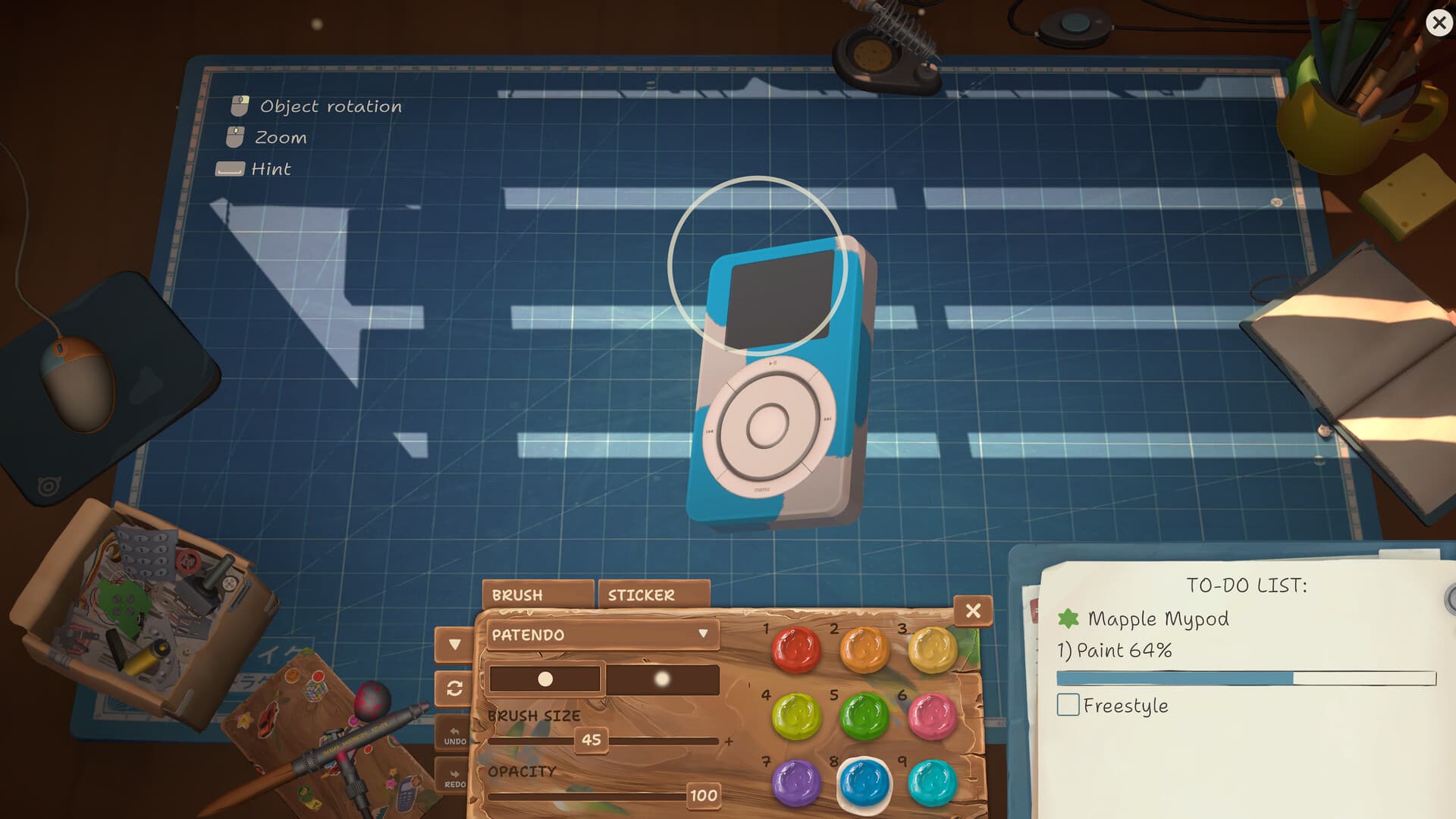
The Steam guide places the airbrush in Binotaro's default category and palette sets under the palette icon. Owning an airbrush does not unlock every color. Patch 1.0.011r fixed the palette interface; this device-painting guidance does not establish workshop-wall or display customization controls.
| Task | What to obtain | What it changes |
|---|---|---|
| Firmware | Unlock-ToolKit plus its installed application | Reprogramming requirement |
| Paint | Airbrush and palette sets from Binotaro in the in-game browser | Device color request |
| Stickers | Sticker sheets from the in-game shop | Sticker customization and its separate achievement counters |
Frequently asked questions
How do I buy the hacking program?
Open Gozilla Fairfox on the shop computer, use the screwdriver/default tool category, scroll to Unlock-ToolKit and buy it. Install the delivered CD to add the application.
What code do I type for firmware?
The confirmed PC discussion describes clicking the in-game mouse in the repair view and pressing keyboard keys to perform the programming. It does not require a fixed password from a guide.
How do I know the firmware update worked?
The filmed ThinkerDad example reaches SUCCESS with a Finish option after green progress, and UPDATE FIRMWARE is crossed out on the order sheet. Check both the tool result and your job requirement; the video does not establish identical screens for every device.
How do I update Guitar Legend firmware?
The developer clarified on August 11 that guitars no longer require a firmware upgrade. Update an old build and check the order; do not repeatedly buy the toolkit to solve that obsolete requirement.
Sources
Last checked Sep 28, 2026. Game behavior can change after an update, so use the linked Steam pages for the newest information.
- communityKleynce: toolkit, workshop cleaning and Akiba app instructions
- communityFirmware controls — player answer and successful follow-up, Aug 11–12
- communityZhain gameplay: ThinkerDad firmware progress and success, 9:32:20–9:32:45
- officialDeveloper: guitars no longer need firmware upgrades — Aug 11, comment 5
- officialOfficial ReStory announcements and patch notes
- officialOfficial Steam Global Achievements
- officialDeveloper-marked answer: 1.0.015 guitar story hotfix and old-save limitation